
How to use ChatGPT and Codex together – step by step
Use ChatGPT and Codex together in a controlled workflow: discuss and scope the task, let Codex make a clear change, review the report, test the result and commit only when you are satisfied.

It is tempting to expect AI tools to solve as much as possible on their own. In practice, the work is often clearer when the tools have different roles and a person remains in control of what happens next.
This is a practical way of working that the NextNet editorial team has developed through use. ChatGPT can help you think through a task, narrow its scope and put it into words. Codex can then work in the actual project. Afterwards, ChatGPT can help you examine Codex’s report critically, while you test the result and decide whether the change is ready.
In short:
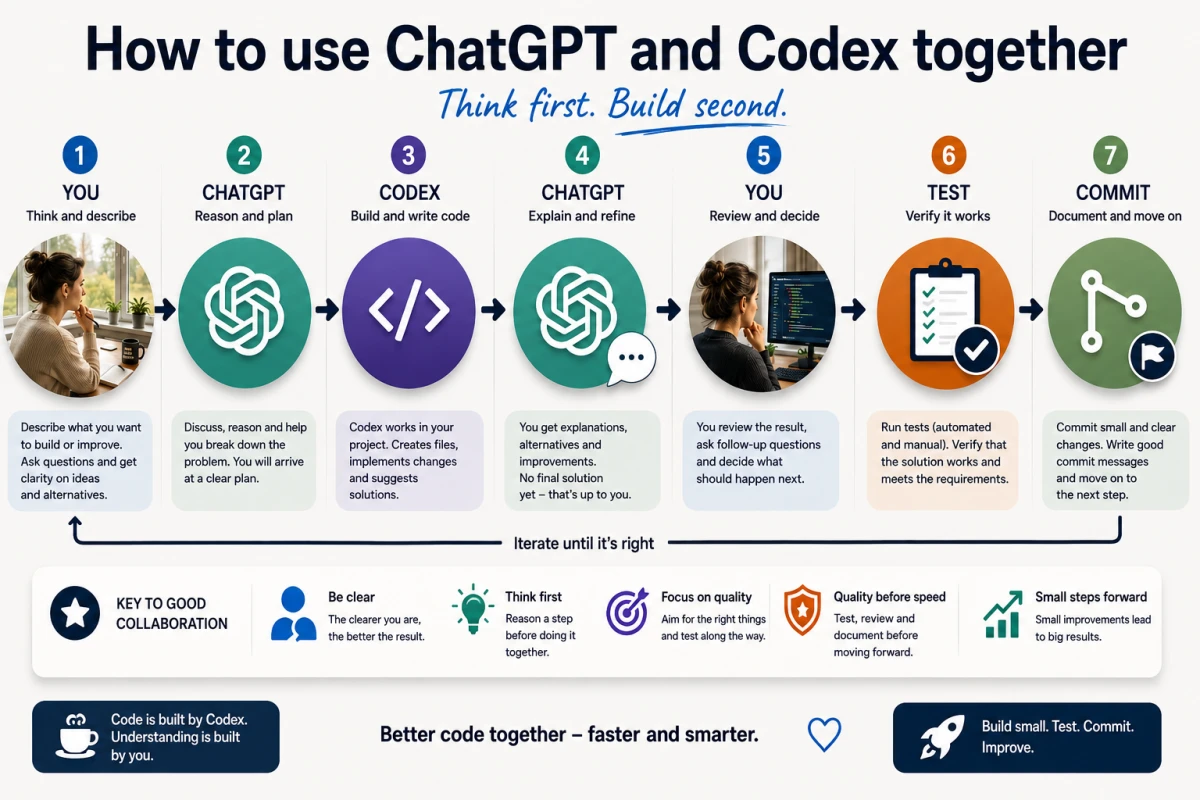
You → ChatGPT → Codex → ChatGPT → you → test → commit → next step
This is not the only way to use these tools, and it is not an officially named OpenAI workflow. Other Codex users describe similar divisions between planning in ChatGPT and implementation in Codex. The point here is simply to make the whole loop easy to follow, including for people who have not worked this way before.
ChatGPT and Codex have different roles
ChatGPT is useful when you want to talk through an idea in ordinary language. You can ask what seems reasonable, compare options, untangle a problem and break a task into smaller pieces. That can be especially helpful when you know what you want to achieve but do not yet know how to describe the change technically.
Codex is useful when the task has a clear boundary and needs to be carried out in a real project. In supported environments, Codex can read relevant files, make the agreed change, run requested checks and report what happened.
That does not mean ChatGPT is only for beginners, or that Codex should work without thought. It is a division of labour. ChatGPT can be the reasoning and planning layer. Codex can be the practical layer that works in the project. You decide the goal, the boundaries, the testing and the approval.
A simple example that can scale
To make the workflow concrete, we will use a deliberately simple fictional book list. The project can already add books and display them in a list. Now the user wants to add Mark as read.
The example is small on purpose. The point is not that a book list is difficult. The point is to see the order of work: understand the change first, ask for a narrow implementation next, then review and test it.
The same approach can be used in larger projects with multiple files, databases, APIs, authentication, tests, debugging, refactoring, architecture changes, migrations and documentation. It also remains useful when Git and GitHub are part of the work. The larger the project, the more valuable it is to set a clear boundary for each step and to keep real checkpoints between them.
A seven-step workflow
- Describe the idea or problem to ChatGPT in ordinary language.
- Discuss what should be done, what must not change and how the result should be tested.
- Ask ChatGPT to write a clear, scoped instruction for Codex.
- Copy the instruction to Codex, which works in the project and reports back.
- Copy Codex’s report back to ChatGPT and review it against the task.
- Test the real result yourself. If needed, ask Codex for a read-only check: a check where Codex reviews but does not change anything.
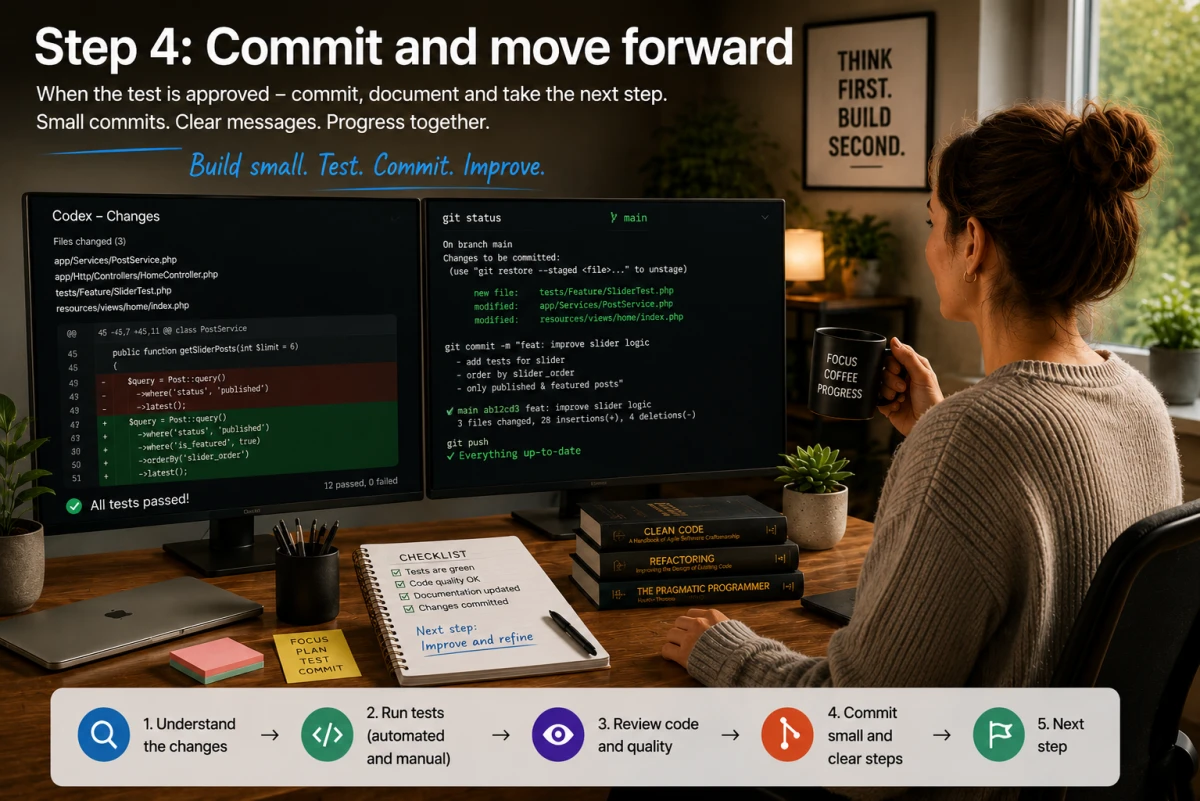
- Only after the change is approved: inspect the diff — the overview of exactly what changed — make a commit and choose the next scoped task.
The workflow does not require an advanced integration between the tools. At its simplest, it is thoughtful copy-paste between two tools and a person who keeps the final say.
You do not have to continue just because Codex has made a change. If the report looks wrong, the result does not feel right, something is unclear or you want to reconsider, stop there and discuss the next step with ChatGPT. The human decides when the process moves forward.
Start by talking to ChatGPT
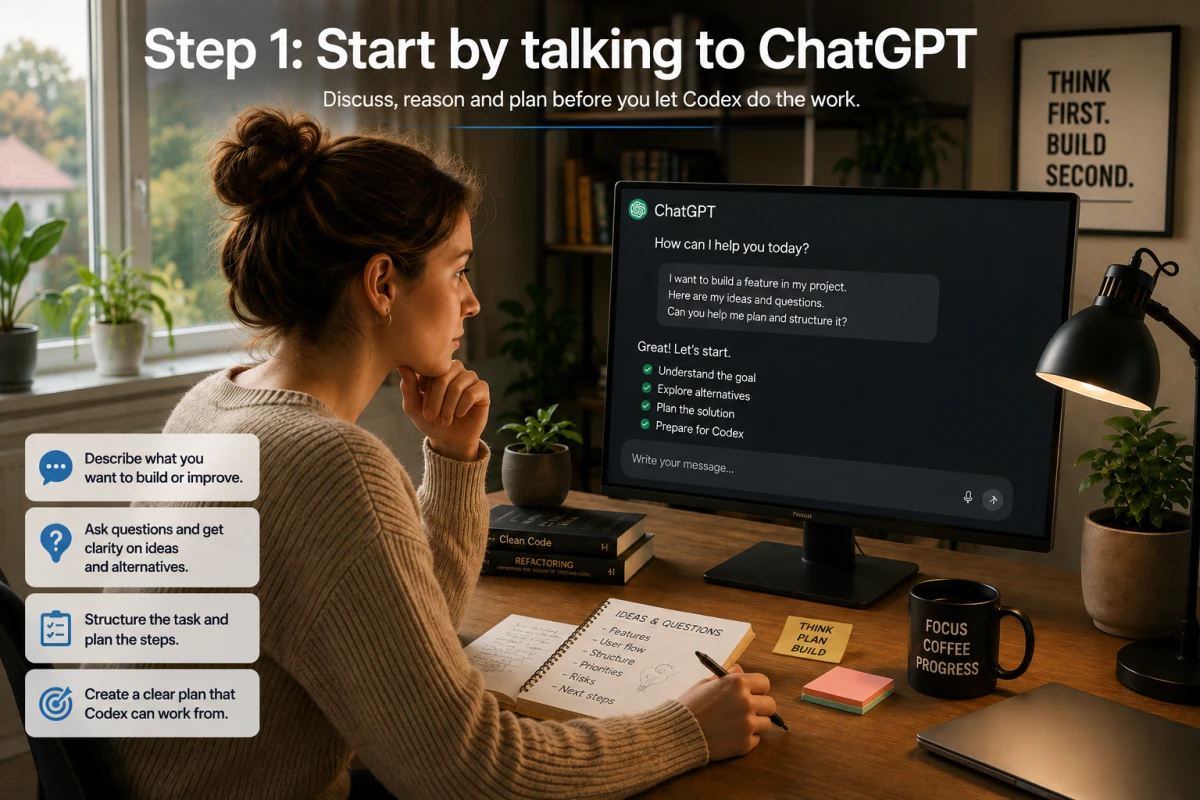
You do not need a perfect technical specification at the start. Begin with what you are trying to achieve and what worries you.
In the book-list example, you might write:
I want to mark a book as read. I want to do it step by step so we do not accidentally affect the rest of the project.
A useful conversation then continues with simple questions. What should the user see when a book is marked as read? Should the action be reversible? Which parts must explicitly stay unchanged? How can you test the result when the change is finished?
The goal is not to create a long plan. It is to find a sensible first step. Sometimes that means asking Codex only to inspect the project and report which files look relevant. In other cases, the task is already clear enough to go straight to a small change.
Let ChatGPT formulate the Codex task
Once you have worked out the task, ChatGPT can help write an instruction that is concrete enough to follow. A good instruction says both what should be done and what should not be done.
That reduces the risk that a small request, such as marking a book as read, turns into an unwanted rebuild. It also helps Codex return a report that you can compare with what you actually asked for.
It is perfectly reasonable to ask ChatGPT for several versions: a shorter version, a more cautious version or one that starts with a read-only analysis. The instruction is your request to Codex. Read it before you copy it across, and adjust it if it does not match your intent.
Copy the instruction to Codex
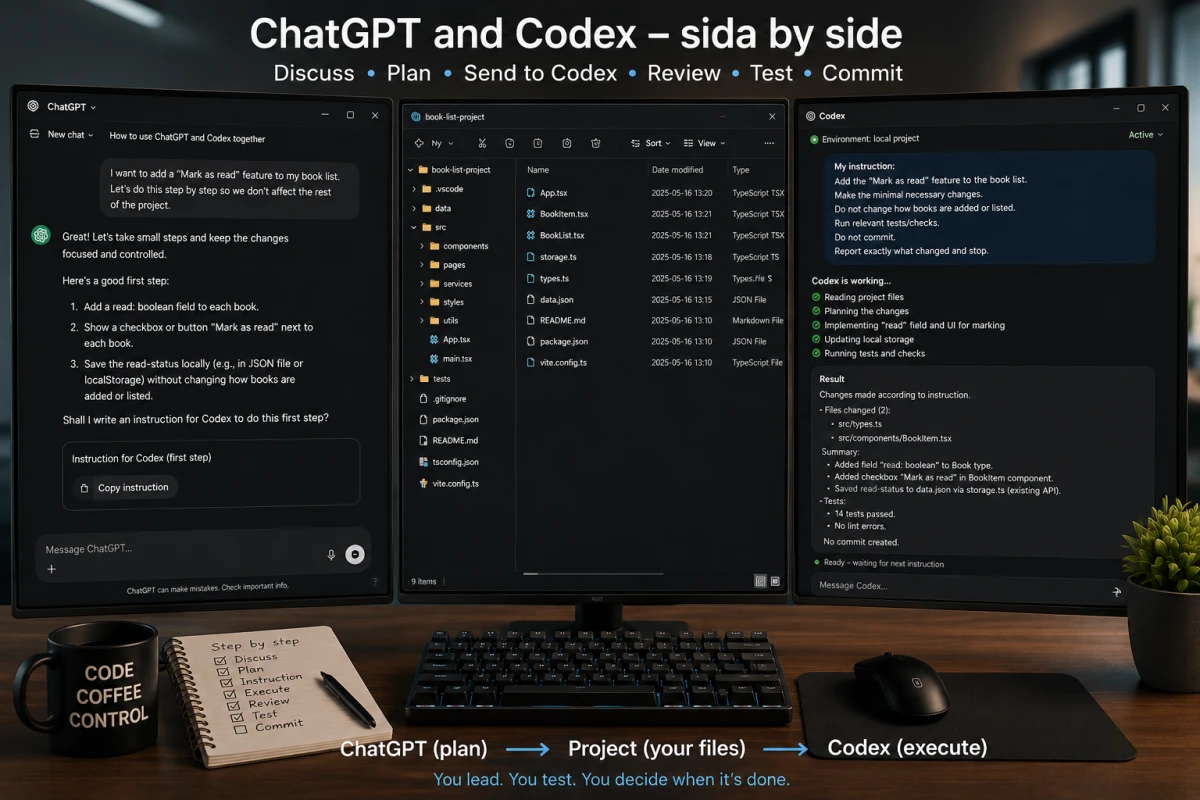
Here is a simple fictional copy-paste prompt for the book list:
Work in the current book-list project.
First read the files that are relevant to how a book is displayed and updated.
Then add the smallest necessary feature for marking a book as read.
Do not change other features or carry out any broad refactoring.
Run relevant tests or checks if they exist.
Do not create a commit.
When you are done, report:
- which files changed
- what changed
- which tests or checks you ran and their results
- any limitations or open questions
Stop there.
The prompt is simple, but it contains several important guardrails. Codex should read first, keep the change narrow, run relevant checks, avoid making a commit and report back clearly. If your situation needs more boundaries, state them: perhaps an API contract must remain intact, or a particular file must not be changed.
Codex works and reports back
When Codex receives the instruction, it can work in the project and then return a report. A report can be short, but it should make it easy to see what was actually done.
Here is what a fictional report might look like in the book-list example:
Done.
Changed files:
- src/books.js
- tests/books.test.js
Changes made:
- added a field that stores whether a book has been read
- added an action for marking a book as read
- updated the display so read books have a clear status
Checks:
- tests: 14/14 passed
No commit was created.
This is only a teaching example. The 14/14 figure is not a real test result and does not prove anything about a real project. In your own project, file names, changes and test results must come from Codex’s actual work.
A practical side-by-side tip
If you work on a computer, keeping ChatGPT and Codex open side by side can make the workflow very simple. Discuss and formulate the task in ChatGPT, copy the instruction to Codex, then bring Codex’s report back to ChatGPT for review. It is a practical tip, not a requirement.
Copy Codex’s response back to ChatGPT
The next step is not to approve the report automatically. Instead, copy the report back to ChatGPT along with the original task. ChatGPT can then help you compare the two texts.
A sensible response from ChatGPT might be:
The report appears to follow the task: it describes a limited change, names two files, records tests and says that no commit was created. Before approving it, you should still check that the status displays correctly in the interface and that a book can still be added as before.
ChatGPT may spot a gap in the report, ask you to consider an edge case or draft a new verification instruction. That does not mean ChatGPT has automatically seen your local files. It has only received the information you pasted into the conversation.
Review and test before moving on
If something needs checking, ChatGPT can help you write a new read-only instruction for Codex. For example:
Make no changes and do not create a commit.
Check whether the Mark as read feature affects the ability to add a new book or display existing unread books.
Review the relevant files and tests.
Report only what you checked, the result and any risks.
Stop there.
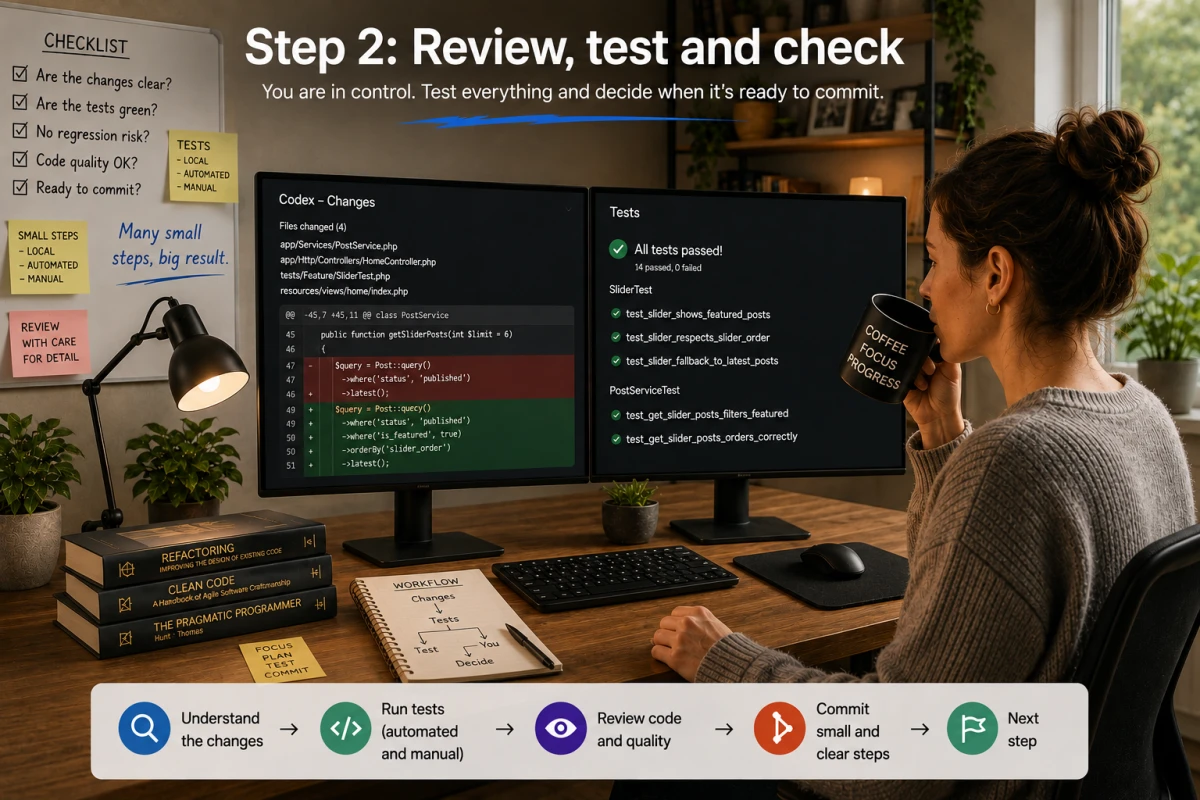
Then test the real feature yourself. Open the book list. Add a book. Mark it as read. Check that the status is visible and that the rest of the flow still works. Human testing matters because a report and automated tests do not always show whether the result is understandable, looks right or meets your actual need.
The principle is simple: Codex executes. ChatGPT helps review. The human tests and approves.
Commit only when you are satisfied
A commit is a checkpoint in Git history. That is why it is often wise to tell Codex explicitly during the development step: do not create a commit.
Once you have reviewed and tested the change, the next separate instruction can be to inspect the diff and stage the intended files — in other words, choose which changed files should be included in the next commit. Codex can then create a clear commit if you ask it to. Keeping that step separate reduces the risk of adding something to the project history before you have understood and approved it.
A simple pre-commit check is: Does the diff match the task? Are only the intended files included? Have the tests run? Would the commit message make sense to you or a colleague reading the history later?
The example in brief
Think of the book-list example as a quick back-and-forth, not a long chain in which AI takes over. ChatGPT helps you narrow the task and formulate the instruction; Codex makes the small change and reports back; ChatGPT helps you review the report; and you test before committing.
Once the Mark as read feature works, the next scoped task might be to let a user undo it, filter read books or improve the appearance. One thing at a time makes every step easier to understand.
The same method at different skill levels
The same loop can work for beginners and experienced developers, but their requests sound different.
A beginner might say: I want to mark a book as read, but I do not know which files need to change. ChatGPT can turn that idea into a calm first step, such as asking Codex to map the relevant files without changing anything.
A more experienced user might say: I want to add the feature without affecting existing behaviour. Can we first work out how it should be implemented? Here, ChatGPT can be a thinking partner before a more precise instruction and can help define the checks to run.
An experienced developer might say: The change must preserve the API contract, remain backward compatible and not affect existing integration tests. ChatGPT does not replace that person’s technical knowledge. It can, however, add a layer for reasoning, planning and review before and after Codex works.
In all three cases, the order is the same: discuss, narrow the scope, instruct, execute, report, review, test, commit.
Scaling the workflow to larger projects
In a larger project, it is rarely wise to write: Improve my entire project. The task is too broad to review easily. Instead, divide the work into clear passes: mapping, deciding on an approach, a small implementation, testing, review and the next pass.
That might involve a database change, an API, a login feature, a bug investigation or a larger refactor. The instructions then become more specific: which systems are affected, which contracts must remain intact, which tests matter and which parts must not change.
The same rule holds: ask for enough work to move forward, but not so much that it becomes difficult to understand what happened. Clear milestones also make it easier to stop, correct course or ask for more verification before the next change.
Git and GitHub as safety nets
Git is a version-history tool. Commits can create clear checkpoints in a project and show which changes belong together. Git can be used entirely on your own computer.
GitHub is a service for hosting Git repositories remotely and collaborating with others. It gives you a copy of the repository outside your computer, but it should not be treated as a complete backup strategy for all project data. You do not need GitHub to use Codex or Git.
Before you push an existing project to GitHub for the first time, check what the project contains. Look especially for .env files, API keys, tokens, passwords, private keys and certificates, databases, personal data, logs, uploads and other runtime or production data. Also check .gitignore so sensitive or unnecessary files do not go with it.
A simple, careful rhythm is: develop without a commit, test and review, inspect the diff, stage exactly the right files, create a commit and then decide whether the project should be shared through a remote service.
Common mistakes
Giving Codex a huge task immediately. Avoid requests such as Improve my entire project. Talk through the goal first and break the work into smaller pieces.
Leaving boundaries unclear. Say what Codex should change, what it must not change and which checks matter. A small task with clear limits is easier to review than a large, vague request.
Committing too early. A commit may be easy to reverse, but it still becomes part of the project history. Test and review first.
Trusting the report blindly. A report is useful evidence, but it is not automatic proof that a change works in real use. Compare it with the task, read the diff when needed and test for yourself.
Doing too many things at once. One clear task at a time makes errors easier to find and makes it easier to tell which change produced a result.
Conclusion – Think it through first. Then build.
The goal is not to make AI do as much as possible. The goal is to let AI do the right things, in the right order, while the human remains in control.
Use ChatGPT to think things through, ask questions and write a clear request. Use Codex to do the scoped task in the project and report back. Review, test and commit only when you are satisfied.
Think it through first. Then build.
💬 What do you think?
How might a clear, scoped ChatGPT-and-Codex workflow work in your project?
Share your thoughts in the comments.
Frequently asked questions about using ChatGPT and Codex together
Vad är din reaktion?
 Gilla
0
Gilla
0
 Ogilla
0
Ogilla
0
 Kärlek
0
Kärlek
0
 Rolig
0
Rolig
0
 Wow
0
Wow
0
 Ledsen
0
Ledsen
0
 Arg
0
Arg
0

Hej, jag heter Staffan Carlsson
Jag är grundare och ansvarig utgivare för NextNet.se – en svensk nyhetsplattform med fokus på artificiell intelligens, teknik, cybersäkerhet och digital innovation.
Varför NextNet?
Jag startade NextNet med målet att skapa en modern och lättillgänglig nyhetssajt där teknik och AI står i centrum. Den tekniska utvecklingen går snabbare än någonsin, och jag tror att det är viktigare än någonsin att kunna förstå vad som händer – utan att behöva vara expert.
Genom NextNet vill jag lyfta fram nyheter, analyser och trender som hjälper läsare att navigera i en allt mer digital värld.
Mitt teknikintresse
Teknik har varit en stor del av mitt liv under många år. Jag fascineras av hur innovation, internet och artificiell intelligens förändrar sättet vi arbetar, kommunicerar och bygger framtidens samhälle.
Utöver arbetet med NextNet ägnar jag mycket tid åt webbplattformar, servermiljöer, AI-lösningar och digitala projekt där nyfikenhet och lärande alltid står i centrum.
Min vision
Jag vill att NextNet ska vara en trovärdig och inspirerande källa för alla som vill följa utvecklingen inom AI, teknik och digitalisering – oavsett tidigare kunskapsnivå.
AI-drivna nyheter för en digital värld.






Kommentarer (0)